← All extensions
✦ 3-day free trial

Full Page Screenshot with Timestamp

Capture a full web page in one click and stamp it with the date, time and page address.

Full Page Screenshot with Timestamp

About

What it does

Capture a whole web page in one click and stamp it with the date, time and page address. It is useful for records, evidence, reports, bug reports and anything you may need to prove later.

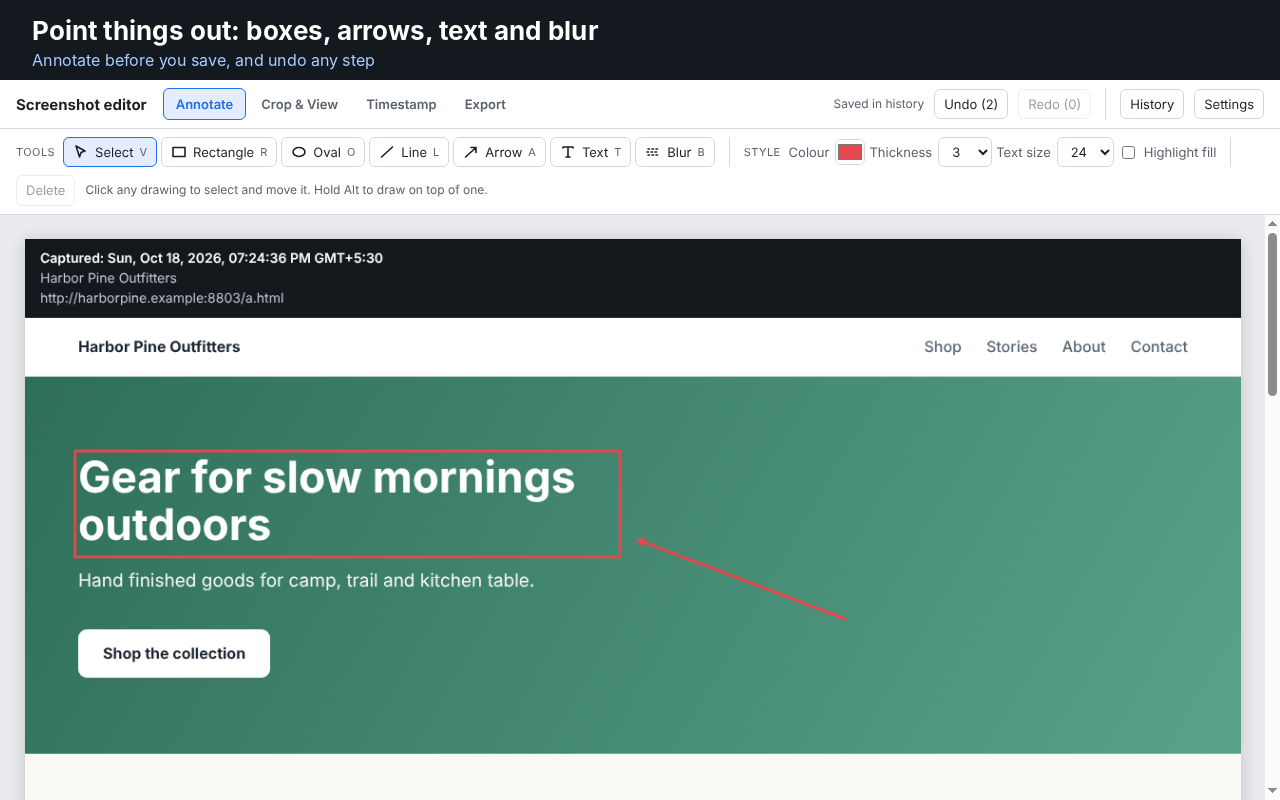
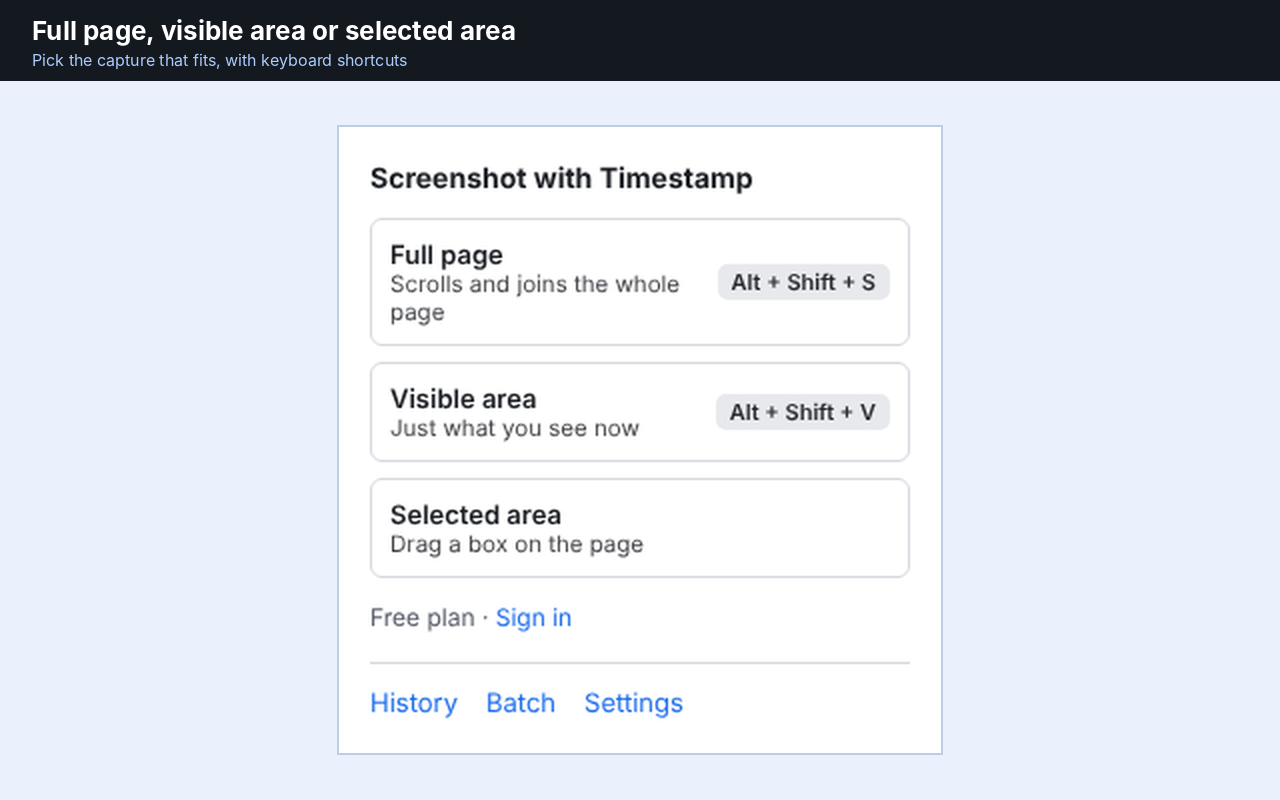
Choose Full page, Visible area or Selected area. The timestamp strip shows the date, time, time zone, page title and page address, and you decide where it goes and how it looks. Blur private details, crop to what you need, and save as PNG, JPG or PDF, or copy the image to the clipboard.

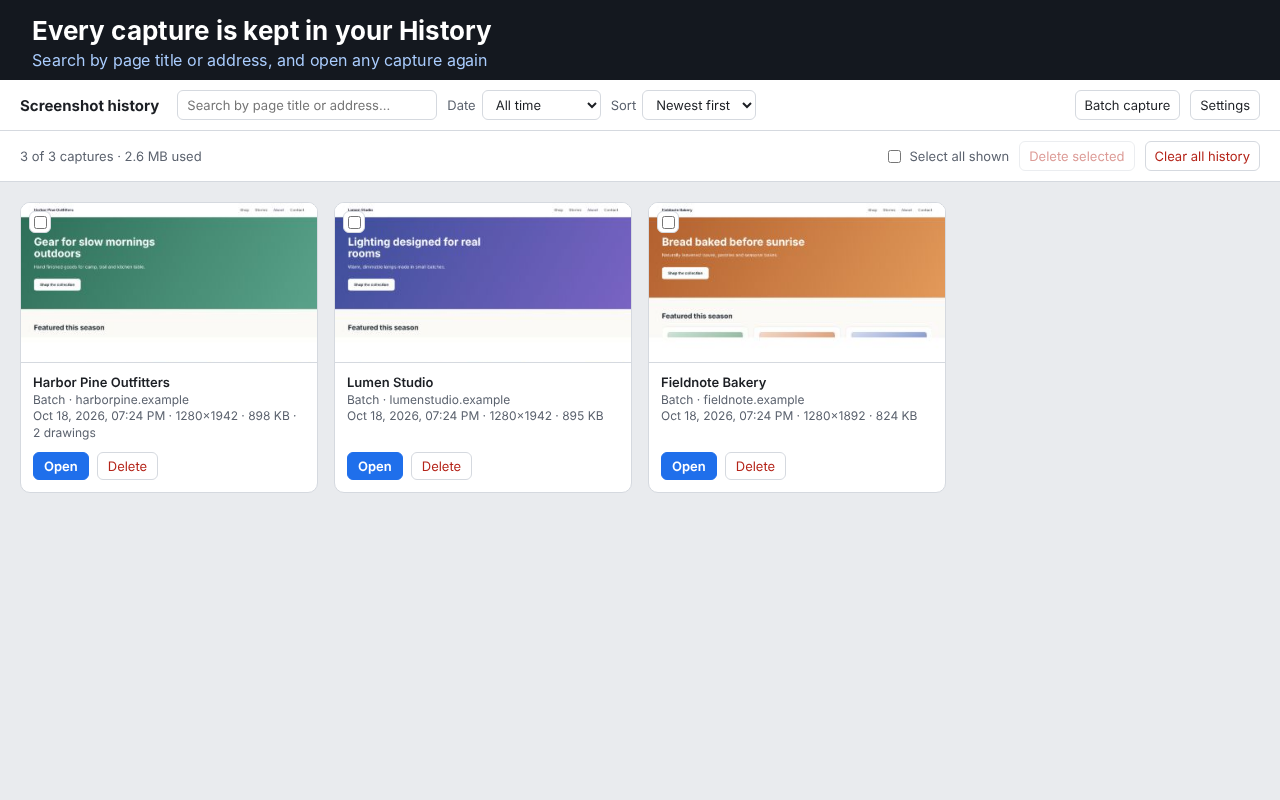
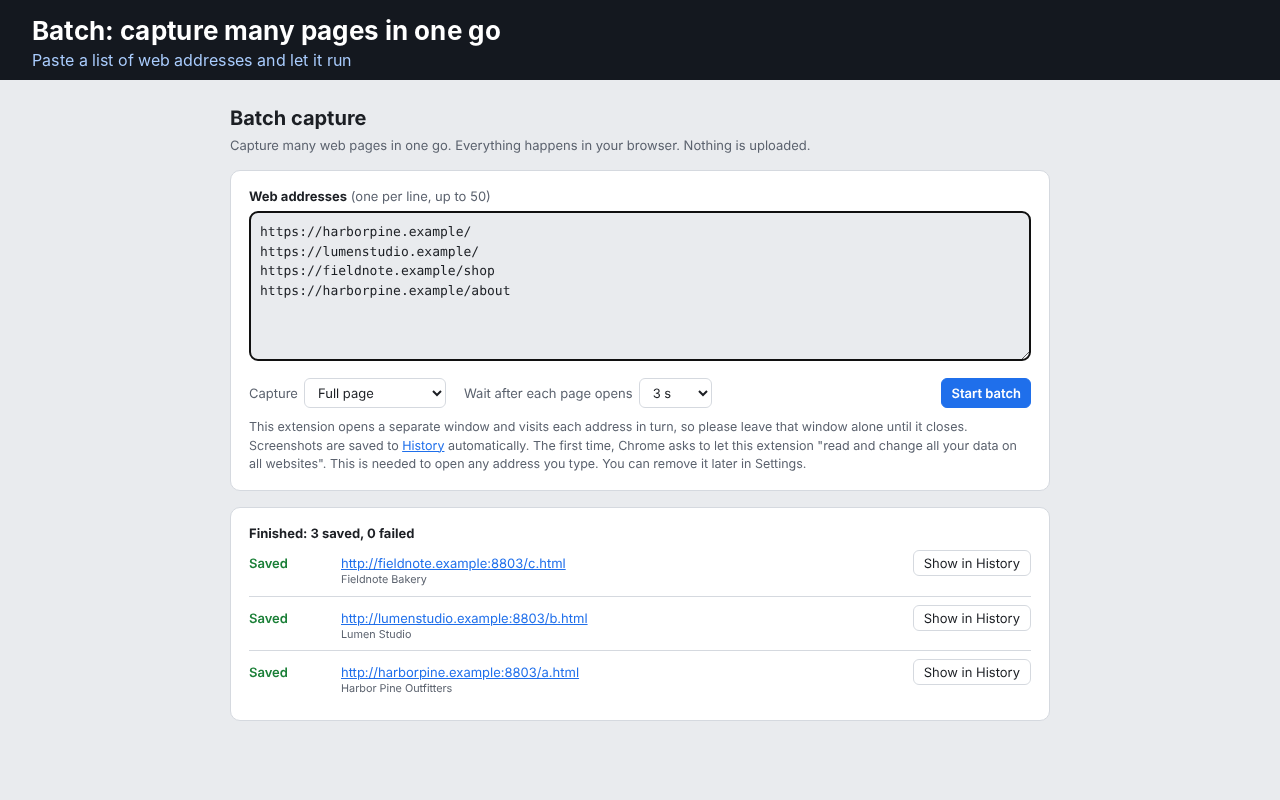
Every capture is kept in History on your own computer, so you can search by page title or address and open it again later. Batch capture takes a list of web addresses and captures each one in turn.

Pro adds boxes, ovals, lines, arrows and text for annotation, a bigger Batch (up to 50 addresses), and your full History.

Screenshots are stored only on your computer. They are never uploaded.

Pick a plan

One price for this extension. No bundles and no other subscriptions.

Choose your currency:

Charged in USD. If your payment method uses a different currency, your bank or payment provider converts the amount at its own exchange rate and may add a conversion fee, so the amount you see on your statement can differ slightly from the USD amount shown.

1 Month
$2.00 / 1 month
or pay ₹199.00 in INR
  • Annotate with boxes, ovals, lines, arrows and text
  • Batch capture up to 50 addresses at once
  • Full History of every capture
  • Blur and crop included on every plan
  • Save as PNG, JPG or PDF, or copy to the clipboard

Try it free for 3 days first. Upgrade only if you like it.

Gallery

Screenshots

Full Page Screenshot with Timestamp screenshot 1
Full Page Screenshot with Timestamp screenshot 2
Full Page Screenshot with Timestamp screenshot 3
Full Page Screenshot with Timestamp screenshot 4

Questions

What can I do for free?

Every capture mode (full page, visible area, selected area), the full timestamp, blur and crop, Batch up to 5 addresses, and your 5 newest captures in History.

What does Pro add?

Boxes, ovals, lines, arrows and text for annotation, Batch up to 50 addresses, and your full History.

Are my screenshots uploaded anywhere?

No. Screenshots are stored only on your computer, in your browser. Only your email is stored if you sign in.

Can I capture a very long page?

Yes. Full page scrolls the page and joins it into one picture. Keep the tab in front until it finishes.

Can I cancel anytime?

Yes. Your plan simply won't renew.

Ready to try Full Page Screenshot with Timestamp?

Start your free 3-day trial. No card needed to look around.

Sign in to continue

Sign in first, then your purchase will go through right after.

or

Didn't get a code?